Typing Accuracy: How to Make Fewer Mistakes
Typing accuracy tells you how much of your typing is correct. A fast result can look impressive, but repeated corrections interrupt your work. The useful goal is a pace you can maintain without fixing the same mistakes every few words.
If your accuracy keeps dropping, start by identifying the pattern. Are you hitting a neighbouring key, reversing letters, missing spaces or struggling with capitals? Each problem calls for a different kind of practice.
This guide explains your accuracy percentage, shows what common errors look like and gives you short exercises to work on them.
Check your typing speed and accuracy
Contents
- How Is Typing Accuracy Calculated?
- What Is a Good Typing Accuracy Goal?
- Typing Speed and Accuracy Should Be Read Together
- Find Out Which Mistakes You Keep Making
- How to Improve Typing Accuracy
- Five Short Typing Accuracy Exercises
- A Simple 10-Minute Accuracy Routine
- Should You Correct Mistakes With Backspace?
- How to Track Accuracy Without Chasing One Best Score
- Why Accuracy Can Drop on a Familiar Keyboard
- Questions About Typing Accuracy
- Make Your Next Attempt More Useful
How Is Typing Accuracy Calculated?
A common character-based formula is:
Suppose a test counts 500 characters, with 490 correct characters:
Under that calculation, ten of the 500 counted characters were incorrect.
The important detail is what the test counts. Some tools remember incorrect keystrokes even after you correct them. Others assess the final text or use word-based penalties. A percentage from one tool may therefore differ from another.
What different percentages mean
The table below assumes a character-based score across exactly 500 counted characters.
| Accuracy | Correct characters | Incorrect characters |
|---|---|---|
| 90% | 450 | 50 |
| 95% | 475 | 25 |
| 96% | 480 | 20 |
| 98% | 490 | 10 |
| 99% | 495 | 5 |
| 100% | 500 | 0 |
Moving from 95% to 99% may look like a small change. In this example, it reduces the incorrect-character count from 25 to five.
These are arithmetic examples, not universal pass marks.
What Is a Good Typing Accuracy Goal?
For the practice routine on this page, use 98% as a working target, then aim to make 99% repeatable. This is a practice goal, not a claim that every test or employer uses the same requirement.
If you are still finding the keys, begin with easier text and a pace you can control. It is more useful to understand why you missed a key than to chase a difficult target by repeatedly restarting the test.
| Your current pattern | A useful next step |
|---|---|
| Frequent mistakes throughout the passage | Reduce the pace and use simpler text |
| Mostly clean typing with one recurring error | Practise that key or letter combination |
| Accurate lowercase words but weak punctuation | Add short sentences with capitals and punctuation |
| High accuracy on repeated passages only | Try unfamiliar text at the same pace |
| High accuracy across several comparable attempts | Increase the pace slightly and reassess |
One perfect short attempt is encouraging. Several accurate attempts on unfamiliar passages tell you more about consistency.
If you are preparing for an assessed test, use its published accuracy and correction rules instead of treating a practice target as the requirement.
Typing Speed and Accuracy Should Be Read Together
WPM describes your typing rate. Accuracy describes correctness. Neither number replaces the other.
Consider these hypothetical results:
| Attempt | Gross WPM | Reported accuracy |
|---|---|---|
| A | 58 | 93% |
| B | 52 | 99% |
Attempt A is faster before error adjustment. Attempt B is more accurate. You cannot calculate their official net scores without knowing the test’s scoring method.
For practice, try to find the point where increasing your pace starts producing repeated errors. Work just below that point until the troublesome movements become more reliable.
For example, if you repeatedly reverse letters when pushing for 58 WPM, try the same text mode at a calmer pace. Check whether the reversals decrease before trying to speed up again.
Read what WPM means if you want to understand the speed figure separately.
Find Out Which Mistakes You Keep Making
“Too many typos” is difficult to practise. “I reverse the letters in ‘from’” gives you something specific to work on.
After an attempt, review a few mistakes and group them.
| Error pattern | Intended text | Example mistake | What to practise |
|---|---|---|---|
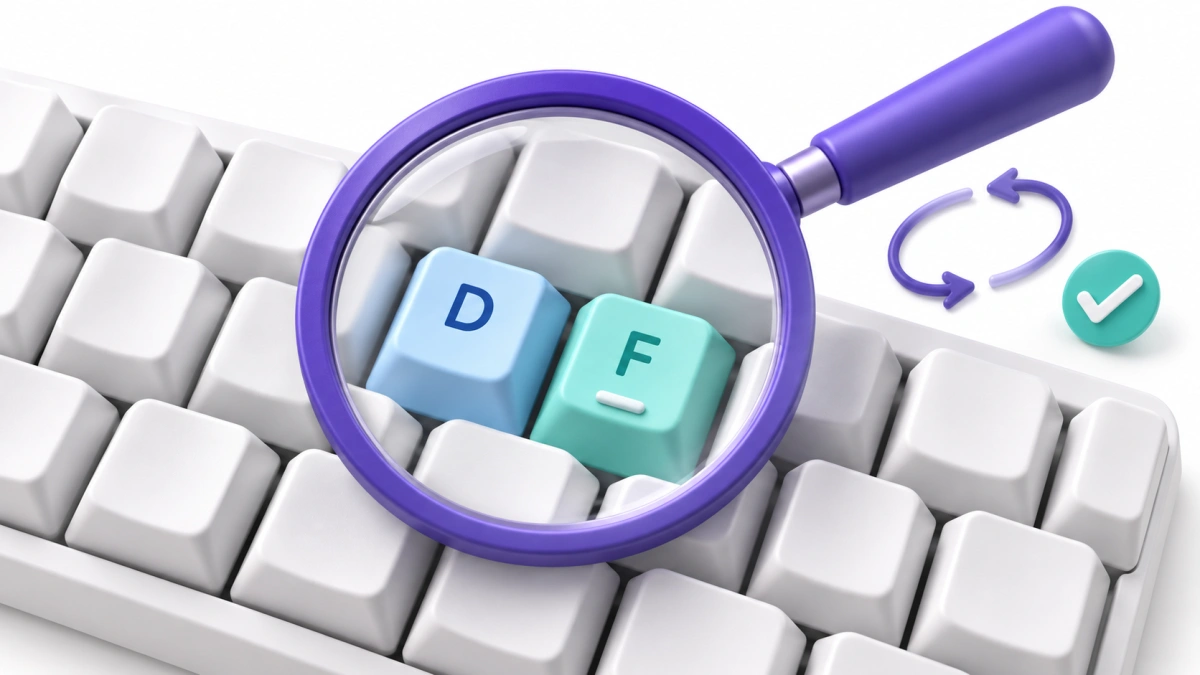
| Neighbouring key | good | goof | The movement between D and F |
| Reversed letters | from | form | The order of R and O |
| Missing letter | typing | tying | Completing the P movement |
| Extra letter | letter | lettter | Releasing the key before the next press |
| Missing space | we can | wecan | The transition between words |
| Capitalisation | London | london | Shift timing |
| Punctuation | ready, set | ready set | Typing the comma without losing rhythm |
These examples identify visible patterns. They are not a promise that every scoring engine will count each pattern as one error.
Choose the most frequent pattern from your own attempt. Working on one recurring problem is more focused than repeating a full test without reviewing the result.
Use Weak Keys Practice if your results repeatedly point to particular letters.
How to Improve Typing Accuracy
1. Slow down where the mistake happens
You do not need to type every word extremely slowly. Pay attention to the difficult transition.
If you repeatedly type “form” when the passage says “from”, pause briefly before the R–O sequence. Practise the correct order, then put it back into a sentence.
Avoid racing through the easy words and guessing at the difficult ones.
2. Use a consistent movement for each key
On a standard QWERTY keyboard, the home-row starting position is:
- Left hand: A S D F
- Right hand: J K L ;
- Thumbs: near the spacebar
The raised marks on F and J can help you locate the starting position without looking down.
Practise unfamiliar reaches deliberately. The aim is to make the movement repeatable, rather than using a different finger every time you hesitate.
3. Read the next word before starting it
A glance at the beginning of a word can lead you to type the word you expect rather than the word shown.
Compare:
- from / form
- trial / trail
- quite / quiet
Read enough of the word to distinguish it before typing. You do not need to memorise the entire sentence.
4. Include spaces, capitals and punctuation
Lowercase word lists are useful, but they do not cover every movement used in ordinary writing.
Add short sentences with full stops, commas and capital letters. If your task involves numbers, practise those separately before combining them with text.
5. Review mistakes before restarting
Before beginning another attempt, write down:
- One key or combination you missed repeatedly.
- One word you rushed.
- Whether errors increased near the end.
Use that observation to choose the next exercise.
The existing Typing Practice page is a useful place to continue after a focused drill.
Five Short Typing Accuracy Exercises
Type these at a pace where you can follow the exact text. Review each line before repeating it.
These are practice passages, not timed tests or scored input fields.
Exercise 1: Neighbouring keys
Practise these short words carefully:
fed fade safe desk flask
Pay attention to where your fingers land, especially around D and F. If you make a mistake, repeat the affected word slowly before trying the whole line again.
Exercise 2: Letter order
Type:
from form trial trail quite quiet
Then use a sentence:
Read the form from the quiet desk.
The task is to follow the displayed order rather than let a familiar word take over.
Exercise 3: Spaces between words
Type:
we can go now
the next line is ready
leave one space between each word
Aim for one space at each boundary. Do not let the spacebar press merge with the next letter or become an extra pause after every word.
Exercise 4: Capitals and punctuation
Type:
Maya said, "The file is ready."
On Friday, bring a pen, a notebook, and the form.
Slow down around Shift, quotation marks and commas. Keep the punctuation shown in the passage.
Exercise 5: Numbers mixed with text
Type:
Order 204 contains 16 items.
The total is $48.75, including delivery.
Check each digit, the decimal point and the currency symbol. A sentence can look almost correct while containing the wrong number.
A Simple 10-Minute Accuracy Routine
Use this as a practical session structure. It is not a promise of a particular speed gain.
| Time | Activity | What to watch |
|---|---|---|
| 2 minutes | Warm up with easy sentences | Comfortable, controlled typing |
| 3 minutes | Practise one recurring error | Correct movement or letter order |
| 3 minutes | Type unfamiliar sentences | Carry the improvement into normal text |
| 2 minutes | Review and record | Accuracy, speed and the repeated mistake |
If the same mistake keeps appearing, make the exercise easier or reduce your pace. Repeating an error faster is not the purpose of the drill.
For a later comparison, take a typing test using the same duration and text mode as your previous attempt.
Should You Correct Mistakes With Backspace?
During ordinary typing, correcting a mistake is part of producing usable text. During a test, follow the correction rules provided.
Backspace can affect your result in two ways:
- Time: moving back and retyping takes time.
- Scoring: the test may remember the initial mistake even after you fix it.
That means a clean final passage does not always produce 100% accuracy.
For targeted practice, correct the word and pay attention to the movement that went wrong. If you are preparing for a test that disables corrections, include practice using that same setting.
Avoid changing the correction setting between attempts and treating the scores as directly comparable.
How to Track Accuracy Without Chasing One Best Score
Record the conditions as well as the percentage.
Here is an illustrative log:
| Attempt | Duration | Text mode | WPM | Accuracy | Repeated issue |
|---|---|---|---|---|---|
| First | 2 minutes | Sentences with punctuation | 42 | 96% | Missing commas |
| Second | 2 minutes | Sentences with punctuation | 40 | 98% | Occasional capital |
| Third | 2 minutes | Sentences with punctuation | 42 | 99% | No recurring pattern |
The second attempt is slower but more accurate. The third returns to the original speed with fewer mistakes.
Your own progress may not follow this neat sequence. Look for a pattern across comparable attempts, rather than expecting every session to improve both numbers.
Do not average percentages blindly when attempts have different character counts. For a combined character-based accuracy figure, add the correct characters and total counted characters first, then calculate the percentage.
Why Accuracy Can Drop on a Familiar Keyboard
If your result suddenly falls, look at the conditions of the attempt:
- Did you choose a more difficult passage?
- Were numbers or punctuation enabled this time?
- Were you watching the live WPM display instead of the text?
- Did you start rushing after an early mistake?
- Were you interrupted?
- Did mistakes appear mainly toward the end?
If errors are scattered and your concentration has gone, take a break rather than forcing more attempts. If one key fails repeatedly even when pressed deliberately, check that key outside the typing exercise.
A single low score does not identify the cause. The error pattern is more useful.
Questions About Typing Accuracy
Is 95% typing accuracy good?
It is a useful result to build on, but what it means depends on the task and scoring method. Under a simple character-based calculation, 95% means five incorrect characters per 100 counted. For the practice routine here, work toward 98% and then consistent 99%.
Why does accuracy fall when I type faster?
You may be moving beyond the pace at which you can reliably read the text and reach the keys. Reduce the pace slightly and identify whether the mistakes involve key position, letter order or word recognition.
Why is my accuracy below 100% after I corrected everything?
The test may count mistakes made during the attempt, rather than judging only the final text. Check how it treats corrections.
Should beginners aim for accuracy or WPM first?
Start with controlled movements and correct text. Record WPM, but do not push the pace so hard that you repeatedly make the same mistakes. Increase speed gradually as those movements become more reliable.
Does 100% on one test mean I have mastered typing?
It means the attempt received a perfect accuracy score under that test’s rules. Try unfamiliar passages and a comparable or longer duration to see whether the result is repeatable.
Can I calculate accuracy from WPM alone?
No. WPM is a speed figure. Accuracy requires information about correct and incorrect input, or another defined scoring basis.
Make Your Next Attempt More Useful
Choose one recurring mistake, practise it slowly, then return to a normal passage. Compare accuracy and speed under the same settings.